Event QR codes in practice: keep sign-up, arrival and materials apart
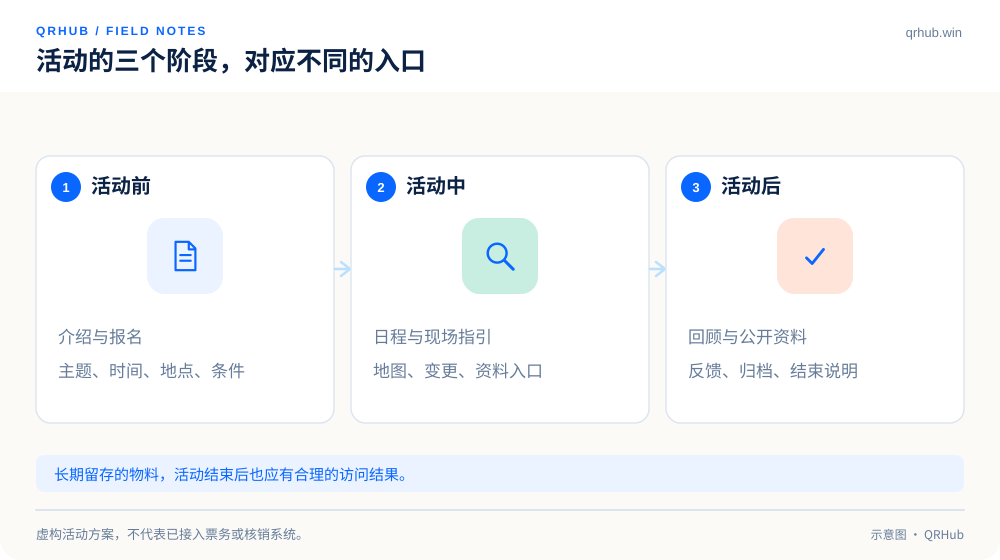
A public event code is not an admission pass. Across the before, during and after stages, give each QR code one clear job.

Key takeaways
- A public information entry point and a personal admission pass have to be kept apart.
- Schedule, venue and material updates need an owner and a fallback.
- Give each touchpoint its own code identity, and never read scans as attendance in a review.
Trade shows, talks and workshops all suit QR codes, but cramming every task into one code tends to create confusion on site: some people want to sign up, some have arrived and want to find a seat, and some just want the slides. The clearer approach is to split the entry points along the timeline of the event, so the prompt next to each code matches the task at hand.
What follows is a plan for a fictional product meetup. The point is the information and the workflow; it does not mean QRHub provides ticket redemption, identity verification or automatic integration with any particular event platform.
01 Before the event: make signing up direct
The main QR code on a poster should lead straight to the sign-up page or the event page. Show the topic, the host, the date, the venue and any sign-up conditions on the first screen, then the sign-up button. Do not send visitors to a brand homepage with a dozen links and leave them to work out which one applies.
Ask only for the information the event actually needs. If a field is there because it might be useful someday, consider dropping it. Registration confirmation and marketing opt-in should be separate as well, so people know what they will receive after submitting their details instead of having one vague checkbox consent to everything.
02 A public QR code is not a personal ticket
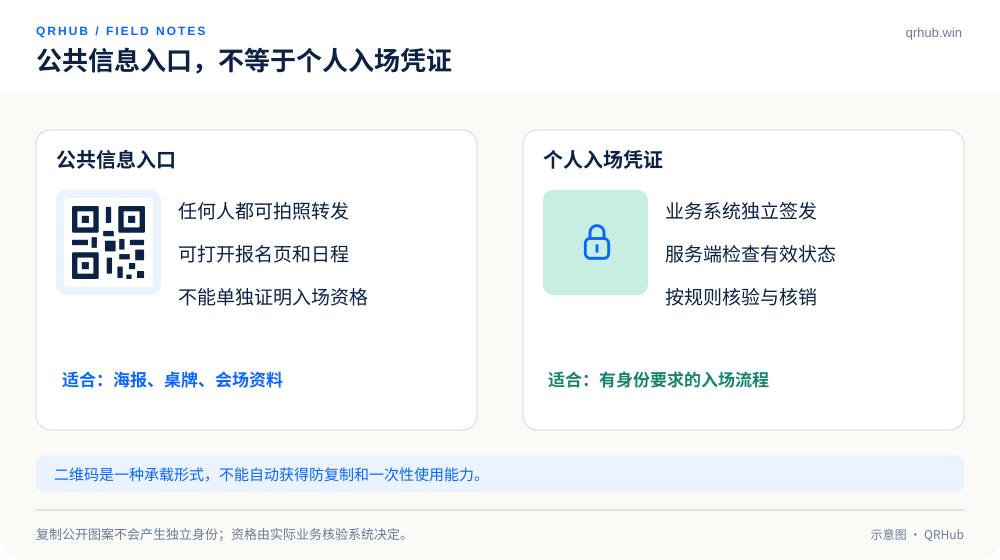
Anyone can photograph and forward a QR code on a public poster, so it cannot serve as something only a ticket holder possesses. It can open a sign-up or check-in page, but its mere existence does not prove that any particular person is entitled to enter.
When entry is tied to a real name or a single-use redemption, the relevant business system should issue an individual credential and decide validity, use state and permissions on the server. A QR code is only one way to carry a credential. Putting a public page link into a code does not by itself make it copy-proof or proof against being used twice.
A small event that does not need strict verification can use a simpler manual check-in, but the boundaries of the process should be spelled out, so that staff on the door do not assume that scanning a code has already verified someone.
| Entry point | Fit for public posting | Can it prove entitlement directly |
|---|---|---|
| Event description and sign-up page | Yes | No |
| Venue map and public schedule | Yes | No |
| Personal admission pass | Should not be a public poster code | Depends on the verification system, not on the pattern |
| Public slides and replay index | Yes, once cleared for release | No identity verification involved |
03 During the event: put on-site questions on the info page in advance
The questions people ask on site are very specific: where the next session is, what the WiFi is, whether the slides can be downloaded, where last-minute changes are posted. Putting that on a clear mobile page and writing an action prompt next to the entry point, such as “see today’s schedule”, saves a lot of hunting around.
A schedule update should show when it was updated; a venue change should take the old information down or mark it clearly. If you use a maintainable redirect entry point, have someone review a temporary switch of destination and keep the previous configuration so you can roll back. An HTTP redirect decides where a visit goes; it will not check whether the schedule is right.[1]
Keep a printed schedule and on-site signage for anyone without a connection, with a flat battery or simply not comfortable using a phone. A QR code should add to the service, not become the toll gate for basic information.
04 Design the material for the conditions on site
Do not test a poster only on a computer in a meeting room. Put the proof in the position it will occupy and scan it from standing distance, in the actual light, with a real phone. Do not let decoration, a table corner or someone else’s sticker cover the entry point, and keep the quiet zone intact when printing: a quiet zone four modules wide is a basic requirement for a standard QR Code.[2]
A large venue can use clear location labels, such as “entrance A” and “materials desk B”, with the material list recording the matching QR code ID. Then, when a poster is damaged or points somewhere wrong, staff can locate it immediately instead of describing “the blue poster on the right”.
05 After the event: give old material somewhere sensible to go
Old posters may still be scanned after the event. Switching the public entry point to an “event has ended” page with cleared material or news of the next one is easier to understand than deleting the destination outright. Personal details and check-in records should be handled under the actual business agreement, and not made public just because you are building a recap page.
When you collect feedback, explain what it is for and ask short, precise questions. Do not lure people in with a vague promise of a reward, and do not ask for sensitive details that have nothing to do with the feedback. A QR code can carry the entry point, but the feedback form itself still has to be designed properly.
06 In the review, separate three numbers first
Scans of the poster code, sign-up submissions and actual attendance are three different events. Without a lawful, reliable link between them, one number cannot be converted into another. Even within a single event batch, different locations can differ completely in how much exposure they get.
Answer the smaller questions first: which entry point is still in use? Are any pages out of date? Where is something clearly off? Then set the QR code records against what the event team knows to be true. What the next event can really reuse is clear entry-point naming, assigned owners and a checking routine, not an unexplained summary chart.
Sources and further reading
- MDN, Redirections in HTTP. https://developer.mozilla.org/en-US/docs/Web/HTTP/Guides/Redirections
- DENSO WAVE, guidance on the QR Code quiet zone. https://www.qrcode.com/en/howto/code.html
Related reading